Video Hub
Window ▸ VSK Video Hub routes any signal onto any screen in the set - the monitor wall behind the talent, a virtual TV, a jumbotron.
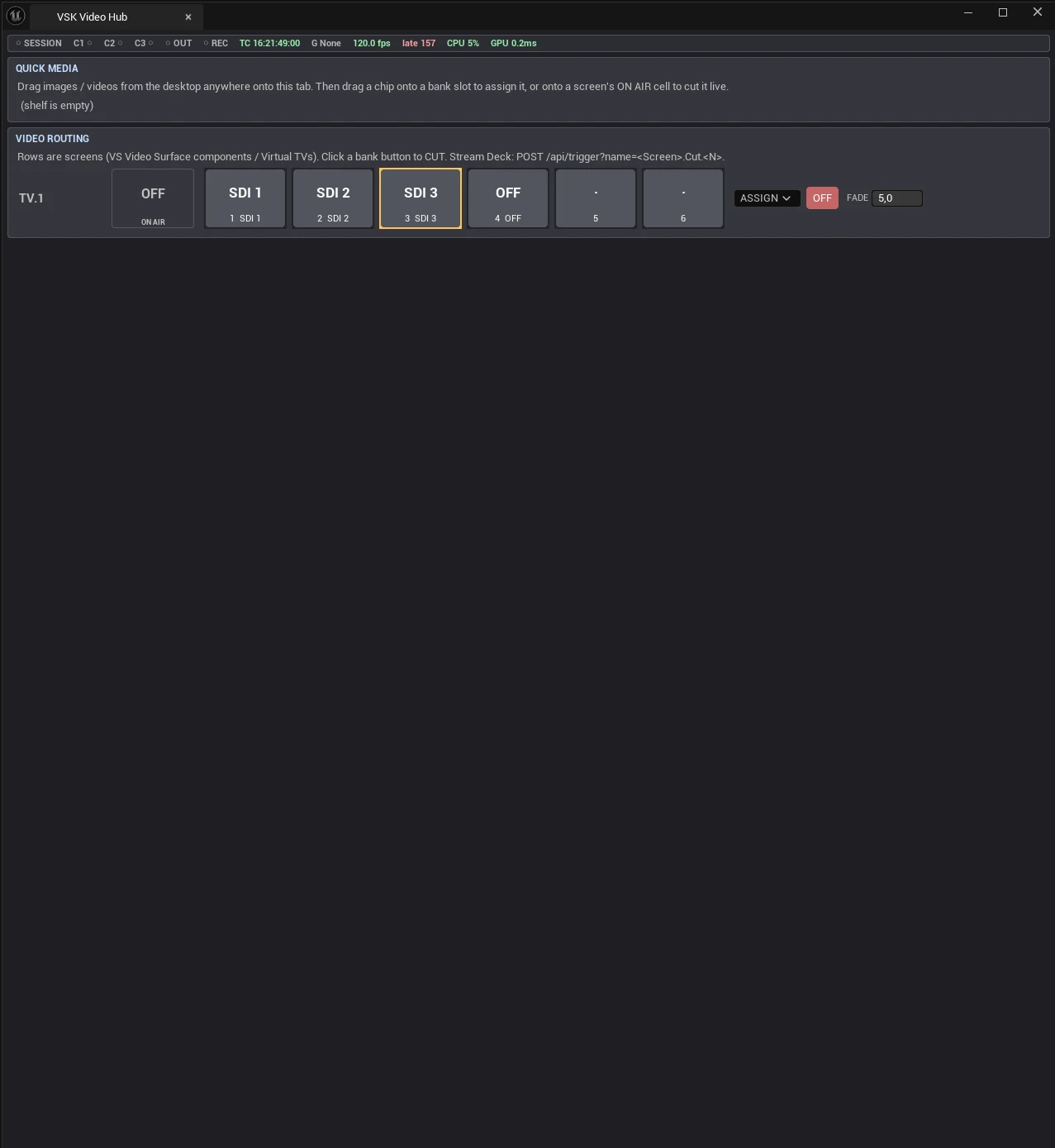
The Video Hub - a screen row with its cut bank
Source descriptors
Every video source is a short text descriptor, used everywhere (panel, triggers, web, Blueprints):
| Descriptor | Meaning |
|---|---|
Off | Black / screen off |
SDI:N | Camera input N (shares the camera’s player - no double capture) |
Program | The program feed itself |
Bus:Name | A Video-type control-bus channel |
Asset:/Game/X.X | Any texture / media asset by path |
File:name.mp4 | A Quick Media shelf file (append !once for play-once) |
NDI:Source Name | A discovered NDI source |
Quick Media shelf
Drag files from the desktop straight onto the tab - they’re copied into
<Project>/VSKMedia (no asset import, no editor churn). Images load as textures, videos play
through runtime players with ffmpeg-extracted poster thumbnails. Files uploaded from the web
remote land on the same shelf.
Camera inputs: LIVE / CLIP
A camera channel’s pipe can carry its SDI card or a Quick Media clip. In the CAMERA INPUTS card, drag a shelf video onto a camera cell (or pick it from the cell’s SOURCE menu). Because every consumer reads the same camera player, everything follows the switch - the billboard keyer keys the clip like a live feed, hub routes and per-input delay carry it, and the clip’s audio follows the camera’s mixer strip into the mix.
The workflow this enables: record talent on green screen anywhere, bring the file back, put it in a camera pipe, and perform the virtual studio - camera moves, cuts, mix - while recording the program. Retake as often as needed: Cue clips on Record (VSK Project ▸ RECORD, on by default) rewinds every clip camera to frame 0 when recording starts, so takes have identical timing.
Each cell shows a neutral badge - ● LIVE (green), ▶ CLIP with the file name (blue),
or ● LIVE - NO SIGNAL (amber: SDI is selected but no frames are arriving; the cell holds
the last decoded frame and reconnects by itself when signal returns) - plus CUE / PLAY /
PAUSE transport, a Loop toggle (loop for rehearsal, off for one-shot takes) and
✕ LIVE to return to the card. Clip modes persist and travel in .vskshow.
Routing & cut banks
One row per screen: thumbnail chips, a 6-slot cut bank (orange border = on air), an
ON AIR preview cell, ASSIGN menus and OFF. Drag a chip onto a slot to assign; onto ON AIR to
cut live. Per-screen FADE (0-5 s, 0 = hard cut) applies to every cut path - panel, web,
and <Screen>.Cut.N triggers (override per call with &fade=1.5). Camera-to-camera
crossfade is field-confirmed on live feeds.
Routing persists and re-applies at BeginPlay - tomorrow’s show opens exactly as tonight’s ended, overriding any editor-set source on the component.
Putting a screen in the set
Add a VS Video Surface component to any mesh (it finds the material’s texture parameter
automatically - explicit name, VideoTexture, Screen, or the only texture param; the panel
warns and lists candidates when none is drivable), or drop an AVS_TVScreen actor for an
instant screen.